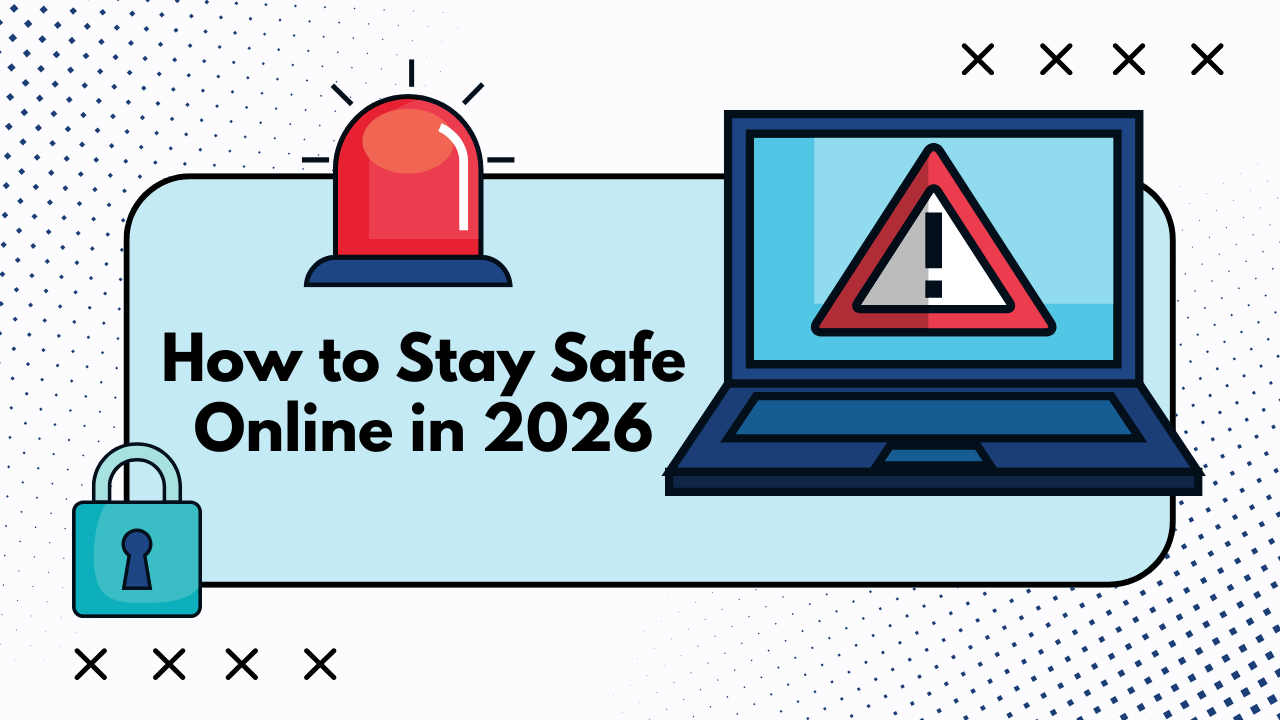
The internet has become an inseparable part of our daily lives. From banking and shopping to socializing and working, we do almost everything online. But as our digital footprint grows, so do the risks. Cybercriminals are getting smarter, using advanced tools like artificial intelligence and sophisticated scams to steal data, money, and identities.
In 2026, staying safe online is no longer optional—it’s essential. The threats have evolved beyond simple viruses and spam emails. Today, we face deepfake scams, AI-powered phishing attacks, ransomware that can lock you out of your own devices, and data breaches that expose millions of personal records at once.
The good news? You don’t need to be a tech expert to protect yourself. With some awareness, the right tools, and smart habits, you can significantly reduce your risk of becoming a victim. This guide will walk you through everything you need to know about online safety in 2026, from understanding modern threats to implementing practical security measures that actually work.
Whether you’re a parent worried about your children’s online activities, a professional handling sensitive information, or simply someone who wants to browse the web without fear, this article has you covered. Let’s dive into the essential strategies that will keep you safe in today’s digital world.
Understanding Modern Online Threats in 2026
AI-Powered Cyberattacks
Artificial intelligence has revolutionized many industries, but unfortunately, it has also empowered cybercriminals. In 2026, hackers use AI to create highly personalized phishing emails that are almost impossible to distinguish from legitimate messages. These emails can mimic your boss’s writing style, reference recent conversations, and even predict what might convince you to click a malicious link.
Deepfake technology has also become a serious concern. Scammers can now create realistic video or audio recordings of people saying things they never said. Imagine receiving a video call from someone who looks and sounds exactly like your family member asking for urgent financial help—except it’s not really them.
AI-driven malware can adapt and evolve, learning from your behavior to find the best time and method to attack. These threats require us to be more vigilant than ever before.
Sophisticated Phishing Schemes
Phishing remains one of the most common and effective cyberattacks. But the phishing attempts of 2026 are far more sophisticated than the obvious “Nigerian prince” emails of the past. Modern phishing can come through text messages, social media, fake apps, or even QR codes.
Spear phishing targets specific individuals with customized messages based on their social media activity, shopping habits, or professional connections. Criminals research their victims thoroughly before striking, making their scams incredibly convincing.
Smishing (SMS phishing) has exploded in popularity. You might receive a text claiming to be from your bank, a delivery service, or even a government agency, complete with official-looking links and urgent language designed to make you act without thinking.
Ransomware and Data Breaches
Ransomware attacks have become more targeted and devastating. Instead of just locking your personal files, modern ransomware can encrypt entire networks, shut down businesses, and even threaten to publicly release sensitive data unless a ransom is paid.
Data breaches continue to expose millions of user records from major companies. When a company you’ve trusted with your information gets hacked, your personal details—including passwords, credit card numbers, and private messages—can end up on the dark web for sale.
The interconnected nature of our digital lives means that one breach can have a domino effect, compromising multiple accounts if you’ve reused passwords or security questions.
Essential Password Security Practices
Creating Strong, Unique Passwords
Your password is the first line of defense for your online accounts. In 2026, a strong password should be at least 12-16 characters long and include a mix of uppercase letters, lowercase letters, numbers, and special symbols.
Avoid using obvious information like your name, birthday, pet’s name, or common words. Hackers use sophisticated tools that can guess millions of password combinations per second, and they start with the most common patterns.
The biggest mistake people make is reusing passwords across multiple sites. When one account gets compromised, hackers will try that same password on your email, banking, and social media accounts. Each account should have its own unique password.
Creating and remembering dozens of complex passwords might sound impossible, which is where password managers come in.
Using Password Managers
Password managers are applications that securely store all your passwords in an encrypted vault. You only need to remember one master password to access all your other credentials.
Popular password managers like Bitwarden, 1Password, and Dashlane not only store your passwords but also generate strong random passwords for new accounts, auto-fill login forms, and alert you if any of your passwords have been compromised in a data breach.
Many password managers also offer secure storage for other sensitive information like credit card details, secure notes, and even important documents. They sync across all your devices, making it easy to access your passwords whether you’re on your phone, tablet, or computer.
Using a reputable password manager dramatically improves your security while actually making your online life more convenient.
Enabling Two-Factor Authentication
Two-factor authentication (2FA) adds an extra layer of security beyond just your password. Even if someone steals or guesses your password, they still can’t access your account without the second factor.
The most common form is a code sent to your phone via text message or generated by an authentication app. Authentication apps like Google Authenticator, Microsoft Authenticator, or Authy are more secure than SMS codes because they can’t be intercepted as easily.
For your most important accounts—email, banking, and social media—2FA is absolutely essential. Many services now support hardware security keys, physical devices that you plug into your computer or tap against your phone to verify your identity. These are the most secure form of 2FA available.
Enable 2FA on every account that offers it. This simple step can prevent the vast majority of account takeovers.
Protecting Your Personal Information
Being Careful What You Share
Everything you post online leaves a digital footprint. In 2026, that vacation photo you share might seem harmless, but it tells criminals that your house is currently empty. A post celebrating your new job reveals where you work. A birthday message from friends confirms your birth date.
Cybercriminals piece together information from multiple sources to build detailed profiles. They use this data for identity theft, to answer security questions, or to make their scams more convincing.
Review your social media privacy settings regularly. Limit who can see your posts, personal information, and friend lists. Be cautious about accepting friend requests from people you don’t know personally.
Before posting anything, ask yourself: Could this information be used against me? Would I be comfortable with a stranger knowing this?
Recognizing and Avoiding Scams
Modern scams are increasingly sophisticated, but they often share common warning signs. Be suspicious of any message that creates a sense of urgency, claims you’ve won something you didn’t enter, or asks for personal information or money.
Legitimate companies will never ask for sensitive information like passwords or full credit card numbers via email or text. They won’t threaten immediate account closure or legal action to pressure you into acting quickly.
Always verify unexpected messages by contacting the company directly using contact information from their official website—not the phone number or link provided in the suspicious message.
Be especially cautious with links and attachments. Hover over links to see where they actually lead before clicking. Don’t download attachments from unknown senders. When in doubt, don’t click.
Monitoring Your Digital Footprint
Regularly search for your name online to see what information is publicly available about you. You might be surprised at what you find—old social media posts, outdated profiles, or information shared by data brokers.
Services like Google Alerts can notify you whenever your name appears online. This helps you quickly identify potential identity theft or unauthorized use of your information.
Consider using data removal services that help delete your personal information from data broker websites. While you can do this manually, it’s time-consuming as new sites constantly appear.
Check your credit reports regularly for any accounts or activity you don’t recognize. Early detection of identity theft can prevent significant financial damage.
Securing Your Devices and Networks
Keeping Software Updated
Software updates aren’t just about new features—they often include critical security patches that fix vulnerabilities hackers could exploit. In 2026, cyberattacks frequently target known security flaws in outdated software.
Enable automatic updates on all your devices, including your phone, computer, router, and any smart home devices. This ensures you’re always protected against the latest known threats.
Don’t ignore update notifications, especially for your operating system, web browser, and antivirus software. These are your primary defenses against malware and other attacks.
Older devices that no longer receive security updates become increasingly vulnerable over time. If your device manufacturer has stopped providing updates, it might be time to upgrade.
Using Antivirus and Security Software
While built-in security features in modern operating systems have improved significantly, dedicated antivirus software provides an additional layer of protection. Reputable options include Norton, Bitdefender, Kaspersky, and Malwarebytes.
Good security software does more than just scan for viruses. It provides real-time protection against malware, blocks dangerous websites, monitors for suspicious behavior, and often includes features like firewall protection and safe browsing tools.
For mobile devices, stick to official app stores and review app permissions carefully. Many mobile threats come from malicious apps that request excessive permissions to access your data.
Run regular scans of your devices and pay attention to security warnings. If your antivirus software flags something, take it seriously.
Securing Your Home Network
Your home Wi-Fi network is the gateway to all your connected devices. If it’s not properly secured, neighbors or nearby attackers could access your network and potentially your personal information.
Change your router’s default administrator password immediately. Default passwords are publicly known and easily exploited. Create a strong, unique password for router access.
Use WPA3 encryption for your Wi-Fi network (or WPA2 if your router doesn’t support WPA3). Never use WEP, which is easily cracked. Create a strong Wi-Fi password—at least 12 characters with a mix of letters, numbers, and symbols.
Consider setting up a guest network for visitors and smart home devices. This isolates them from your main network where your computers and phones store sensitive information.
Disable remote management features on your router unless you specifically need them. Update your router’s firmware regularly, as it often contains important security patches.
Safe Browsing and Shopping Online
Identifying Secure Websites
Before entering any personal or financial information on a website, verify that it’s secure. Look for “HTTPS” at the beginning of the URL and a padlock icon in your browser’s address bar. This indicates the connection is encrypted.
However, HTTPS alone isn’t enough—phishing sites can also use encryption. Check the full URL carefully for misspellings or unusual characters. Scammers often create fake websites with URLs that look similar to legitimate ones at first glance.
Be cautious of websites with poor grammar, suspicious pop-ups, or that ask for unnecessary personal information. Legitimate businesses invest in professional websites.
Use browser extensions like Web of Trust (WOT) that warn you about dangerous or untrustworthy websites based on user reviews and automated testing.
Shopping Safely Online
Only shop from reputable retailers or verified sellers on marketplace platforms. Read reviews, but be aware that fake reviews exist. Look for detailed reviews that mention specific aspects of the product or service.
Use credit cards rather than debit cards for online purchases when possible. Credit cards offer better fraud protection, and fraudulent charges won’t drain money directly from your bank account.
Be skeptical of deals that seem too good to be true—they usually are. Scammers create fake online stores offering popular products at impossibly low prices to steal your payment information.
Save receipts and confirmation emails. Monitor your credit card statements for unauthorized charges. Report any suspicious activity to your bank immediately.
Using VPNs for Privacy
A Virtual Private Network (VPN) encrypts your internet connection and routes it through a server in another location. This hides your IP address and protects your data from being intercepted, especially on public Wi-Fi.
Public Wi-Fi networks at coffee shops, airports, and hotels are notoriously insecure. Hackers can easily intercept data transmitted over these networks. Always use a VPN when connecting to public Wi-Fi.
Reputable VPN services include NordVPN, ExpressVPN, and ProtonVPN. Avoid free VPN services, as they often collect and sell your data or inject ads—defeating the purpose of privacy protection.
A VPN also prevents your internet service provider from tracking and selling your browsing history and can help you access content that might be restricted in your region.
Protecting Children Online
Setting Parental Controls
Modern devices and platforms offer robust parental control features that allow you to limit screen time, block inappropriate content, and monitor your children’s online activities.
Operating systems like Windows, macOS, iOS, and Android include built-in parental controls. You can create child accounts with restrictions on app downloads, website access, and usage times.
Many routers also offer parental control features that apply across all devices on your network, providing an additional layer of protection that children can’t easily bypass.
Gaming consoles, streaming services, and social media platforms have their own parental control settings. Take time to configure these according to your children’s ages and maturity levels.
Teaching Digital Literacy
Technology and restrictions are important, but teaching your children to make smart decisions online is even more valuable. Start conversations about internet safety early and keep them ongoing as children grow.
Explain concepts like privacy, digital footprints, and the permanence of online posts. Help them understand that not everyone online is who they claim to be and that some people may try to manipulate or harm them.
Teach children never to share personal information like their full name, address, school name, or phone number online. Help them recognize warning signs of online predators, cyberbullying, and scams.
Encourage open communication. Children should feel comfortable coming to you if something online makes them uncomfortable, without fear of losing their device privileges.
Monitoring Without Invading Privacy
Finding the right balance between keeping children safe and respecting their growing need for privacy can be challenging. The approach should evolve as children mature.
For younger children, direct supervision and restricted access are appropriate. As they get older, gradually increase freedom while maintaining oversight.
Consider using monitoring software that alerts you to concerning activity without requiring you to read every message. Focus on safety rather than surveillance.
Regularly discuss online experiences with your children. Ask about the apps they’re using, who they’re talking to, and what they’re enjoying online. Building trust creates a safer environment than purely restrictive measures.
Staying Safe on Social Media
Adjusting Privacy Settings
Social media platforms collect enormous amounts of data and often share more than you might realize by default. Review and adjust your privacy settings on all platforms regularly.
Limit who can see your posts, profile information, and friend lists. Consider whether posts should be public, visible to friends only, or shared with custom groups.
Disable location tagging and check-in features that broadcast your whereabouts. Review photo tagging settings to control when you appear in others’ photos.
Most platforms allow you to control who can contact you, comment on your posts, or tag you. Use these settings to reduce unwanted interactions and potential harassment.
Recognizing Fake Accounts and Bots
Fake accounts and bots are widespread on social media, used to spread misinformation, scam users, or manipulate public opinion. Learning to recognize them helps you avoid being deceived or targeted.
Warning signs include accounts with few followers, generic profile pictures, recently created profiles, repetitive or nonsensical posts, and excessive use of hashtags or links.
Be cautious of accounts that quickly try to move conversations to private messages or other platforms. This is a common tactic for scammers and predators.
Don’t accept friend requests from people you don’t know personally. Even if mutual friends exist, the account could be fake, created by someone who researched your social circle.
Avoiding Oversharing
The more information you share online, the more material you give potential attackers. Think before posting about upcoming vacations, expensive purchases, daily routines, or family details.
Avoid posting information that could be used to answer security questions, like your mother’s maiden name, first pet’s name, or the street you grew up on.
Be mindful that posts can be screenshot, shared, and preserved even after you delete them. Assume that anything you post could potentially become public and permanent.
Consider the professional implications of your social media presence. Many employers review social media profiles during hiring processes.
What to Do If You’re Compromised
Immediate Steps After a Breach
If you suspect your account has been compromised, act quickly. Change your password immediately, using a strong, unique password you haven’t used before.
Enable two-factor authentication if it wasn’t already active. Review recent account activity for any unauthorized actions and undo them if possible.
Check for any changes to account settings, email forwarding rules, connected apps, or recovery information that you didn’t make. Attackers often modify these to maintain access.
If financial information was involved, contact your bank or credit card company immediately to report the breach and potentially freeze or replace your cards.
Reporting Cybercrime
Report cybercrime to appropriate authorities. In the United States, you can file reports with the FBI’s Internet Crime Complaint Center (IC3) or the Federal Trade Commission (FTC).
For identity theft, create a report at IdentityTheft.gov. This provides a recovery plan and official documentation you may need for creditors and law enforcement.
Report phishing attempts to the Anti-Phishing Working Group at reportphishing@apwg.org. Forward suspicious emails to your email provider’s spam or phishing reporting address.
Report social media scams and fake accounts directly to the platform using their built-in reporting tools. This helps protect others from falling victim.
Recovering from Identity Theft
Identity theft recovery is a process that takes time and persistence. Start by placing fraud alerts with the three major credit bureaus: Equifax, Experian, and TransUnion.
Consider freezing your credit, which prevents new accounts from being opened in your name. You can temporarily lift the freeze when you need to apply for credit legitimately.
Review all your financial statements and credit reports for unauthorized activity. Dispute any fraudulent charges or accounts with the relevant companies.
Keep detailed records of all communications, reports filed, and steps taken during recovery. This documentation may be necessary for law enforcement or creditors.
Building Long-Term Security Habits
Regular Security Audits
Make cybersecurity a regular part of your routine rather than something you only think about after a problem occurs. Schedule quarterly security audits to review and update your practices.
Check which apps and services have access to your accounts and revoke permissions for those you no longer use. Review and update privacy settings on all platforms.
Evaluate your passwords. If you’ve been reusing passwords or using weak ones, now is the time to update them using your password manager.
Review subscriptions and accounts you no longer use and delete them. Dormant accounts are security risks, as you’re unlikely to notice if they’re compromised.
Staying Informed About New Threats
The cybersecurity landscape constantly evolves. Follow reputable technology news sources to stay informed about new threats, vulnerabilities, and protection strategies.
Security blogs from companies like Kaspersky, Norton, and Krebs on Security provide valuable insights into emerging threats and how to defend against them.
When major data breaches are announced, check if you’re affected using services like Have I Been Pwned. If your information was exposed, change your password immediately on that service and anywhere else you used the same password.
Be skeptical of sensationalized security news. Focus on actionable information from credible sources rather than panic-inducing headlines.
Creating a Security-First Mindset
The most powerful security tool is your awareness and judgment. Develop healthy skepticism about unexpected messages, too-good-to-be-true offers, and requests for personal information.
Pause and think before clicking links, downloading files, or sharing information. Most successful cyberattacks exploit human psychology rather than technical vulnerabilities.
Make security convenient enough that you’ll actually maintain it. If security measures are too cumbersome, people tend to find workarounds that undermine protection.
Remember that perfect security doesn’t exist, but significant improvement is achievable with consistent effort. Each security measure you implement reduces your risk and makes you a less attractive target.
Conclusion
Staying safe online in 2026 might seem overwhelming, but it doesn’t have to be. By understanding the threats you face and implementing the practical strategies outlined in this guide, you can dramatically reduce your risk of becoming a cybercrime victim.
The key is consistency. Security isn’t a one-time task but an ongoing practice. Start with the basics—strong unique passwords, two-factor authentication, and keeping your software updated. Build from there, gradually incorporating more advanced practices like using a VPN and conducting regular security audits.
Remember that cybercriminals rely on people being careless, uninformed, or too rushed to think critically. By staying aware and taking your time with online decisions, you’re already ahead of most potential threats.
The internet offers incredible opportunities for connection, learning, and convenience. You shouldn’t have to give up those benefits out of fear. With the right knowledge and habits, you can enjoy everything the digital world offers while keeping yourself, your family, and your information safe.
Take action today. Choose one or two security improvements from this guide and implement them. Then gradually add more over time. Your future self will thank you for the effort you invest in protecting your digital life now.
Frequently Asked Questions
What is the most important thing I can do to stay safe online?
Use strong, unique passwords for every account and enable two-factor authentication wherever available. These two steps alone prevent the majority of account compromises and significantly reduce your risk of becoming a victim.
Are password managers really safe to use?
Yes, reputable password managers use strong encryption and are much safer than reusing weak passwords or writing them down. The security benefit of having unique, complex passwords for every account far outweighs the minimal risk of using a trusted password manager.
How can I tell if an email is a phishing attempt?
Look for warning signs like urgent language, requests for personal information, unexpected attachments, suspicious sender addresses, and links that don’t match the claimed destination. When in doubt, contact the company directly using official contact information rather than clicking links in the email.
Is public Wi-Fi safe to use?
Public Wi-Fi networks are inherently insecure and should be used with caution. Never access sensitive accounts like banking on public Wi-Fi unless you’re using a VPN to encrypt your connection. Avoid entering passwords or personal information when connected to public networks.
What should I do first if I think my account has been hacked?
Immediately change your password to a strong, unique one you haven’t used before. Enable two-factor authentication if it wasn’t already active. Check your account activity for unauthorized actions, review and reset your security settings, and if financial information was involved, contact your bank immediately.